In the modern business world, the bridge between a company and its customer is no longer built solely on products or pricing. Instead, it is built on the speed and quality of interaction. Digital consumers in 2026 expect immediate, accurate, and personalized communication. To meet this demand, businesses are turning to sophisticated live chat tools for website engagement and artificial intelligence to transform their static websites into dynamic, interactive hubs. In this blog, we’ll take a detailed ChatterPal review and explore how it fits into modern digital communication.
Understanding Chat Software and Its Core Purpose
If you’ve spent any time looking for live chat tools for your website, you’ve probably noticed they all look the same. A little square in the corner, a generic “How can I help you?” message, and a text-based bot that feels, well… robotic.
Enter ChatterPal. It’s not just another chatbot for your website. It uses 3D animated avatars and life-like text-to-speech to talk to your visitors. But does a talking head actually sell more products? Or is it just a gimmick that slows down your site?
I’ve spent weeks testing AI chat software and analyzing conversion data. From a practical perspective, ChatterPal isn’t a “one-size-fits-all” solution. In this ChatterPal review, I’ll break down what really happens when you put a 3D avatar on your landing page.
What is ChatterPal?
At its core, ChatterPal is an AI live chat software that combines interactive 3D avatars with smart automation. Instead of just reading text, your visitors see a character that speaks to them using neural text-to-speech technology.
Think of it as a digital spokesperson that never sleeps. It’s designed to grab attention immediately. While traditional chat boxes wait for a user to click them, ChatterPal can be set to pop up and start talking the moment a page loads.
What is ChatterPal.io Used For?
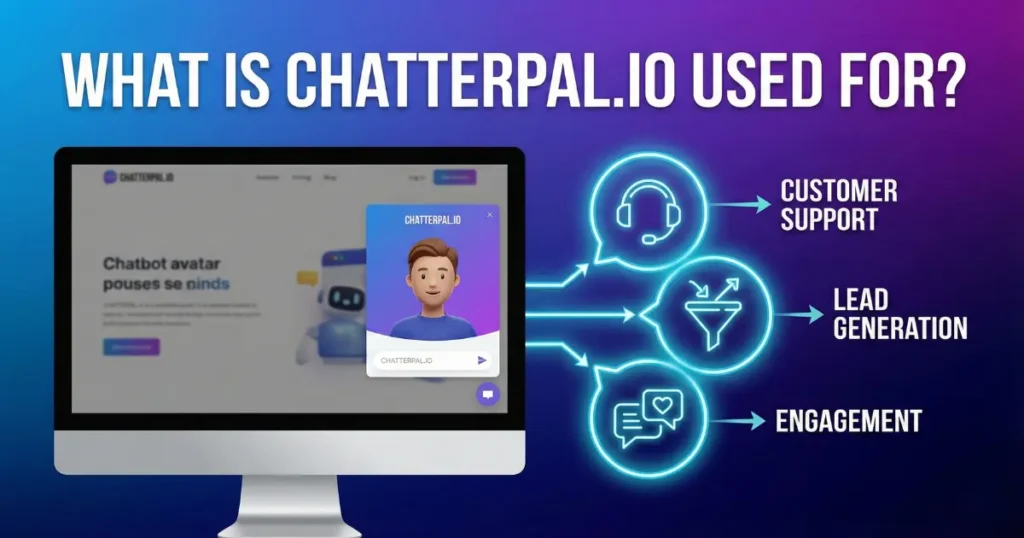
ChatterPal.io is a cutting-edge AI communication platform designed to transform how businesses interact with website visitors. Unlike standard chat boxes that rely on text bubbles, ChatterPal uses interactive 3D avatars and Smart Chat automation to engage users.
Its primary use cases include:
- Sales and Lead Generation: It acts as a digital salesperson, proactively greeting visitors and guiding them through a sales funnel without requiring them to fill out long forms.
- 24/7 Customer Support: The AI handles frequently asked questions (FAQs) and provides instant support at any hour, helping businesses understand how to reduce bounce rate on my website by resolving visitor doubts instantly.
- Bridging Content Gaps: With its unique Live-Link technology, marketers use it to add their own interactive chat agents on top of external websites (like news articles or authority blogs) to capture leads from third-party content.
- Global Expansion: Businesses use it to instantly translate conversations into over 25 languages, allowing them to provide a local experience to a worldwide audience.
Key Features: What’s Under the Hood?
Many best chat software for website lists mention features, but they don’t explain how they help you. Here is the real-world breakdown of ChatterPal’s main tools:
1. Logo Mapping
One feature that really stood out to me while testing ChatterPal is logo mapping. Instead of using a generic avatar, you can place your own brand logo directly on the character.
In real use, this helps make the chatbot feel more connected to your brand. For example, if you are running a product or landing page, the avatar doesn’t feel random. It looks like part of your business.
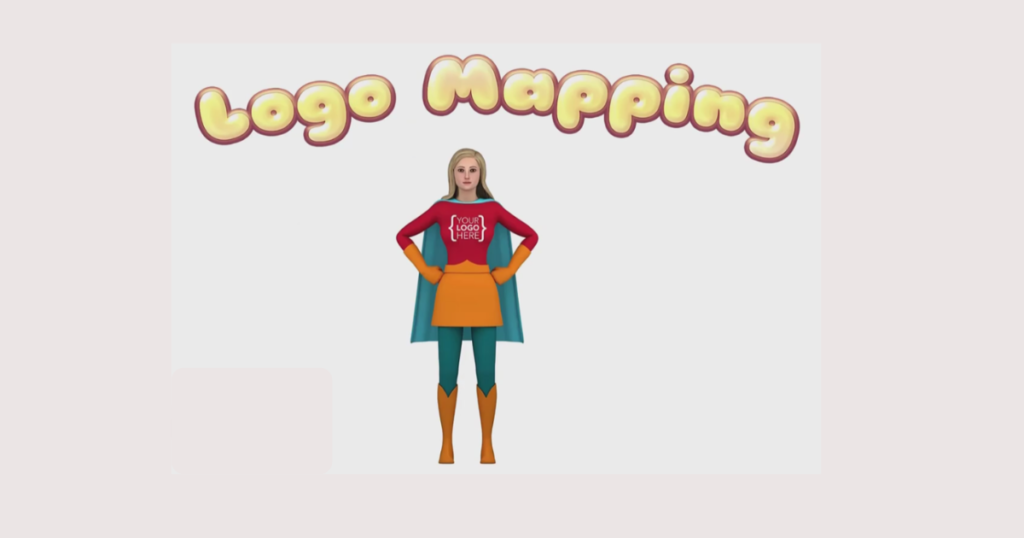
Your brand, your logo. Here’s a real example from an ecommerce setup. Can you see the logo placed on the shopping bag? This small detail makes the chatbot feel more connected to your brand instead of looking generic.
2. 3D Avatar Animation & Lip-Sync
The hook of ChatterPal is the visual. The avatars use lip-sync technology, so their mouths move accurately with the words.
- In real use: This is great for Pattern Interruption. If a user is bored of scrolling, a talking avatar makes them stop and listen.
3. Smart AI Chat Automation
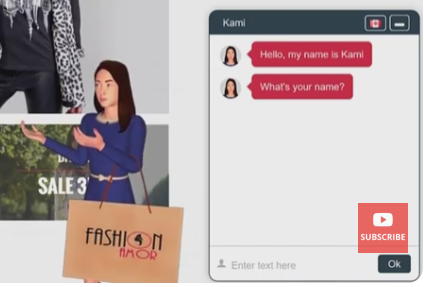
This is the brain. You can build workflows where the bot asks questions, collects emails, or offers discount codes based on what the user says. Here’s a real example of how I used ChatterPal to capture leads with a discount offer.
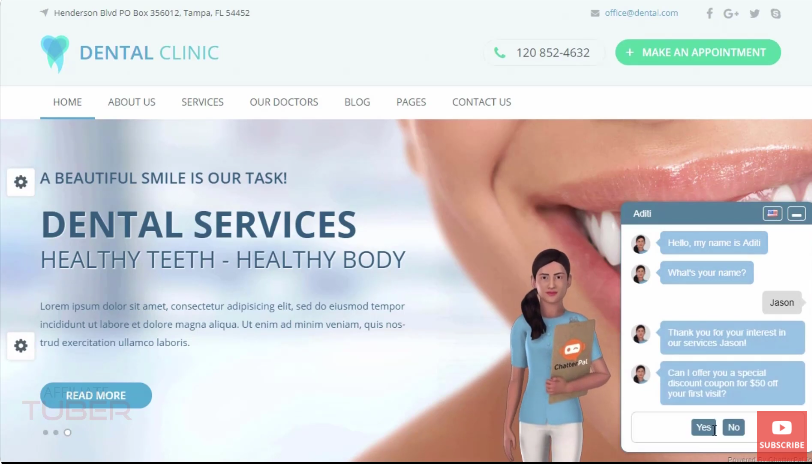
It’s an example of ChatterPal chatbot offering discount to capture leads on a landing page.
- One limitation I noticed: While it’s smart, it isn’t ChatGPT. You still need to set up the logic flow. It won’t guess what your customer wants perfectly without a little setup.
4. Live-Link Technology
This is a massive feature for affiliate marketers. It allows you to place your ChatterPal avatar on other websites.
- Example: If you are an affiliate for a tech product, you can share a link to a famous tech news article. When people click your link, the article opens, but your avatar pops up on top to offer a bonus or a lead magnet.
5. Instant Translation with 25+ Languages
For global businesses, this is huge. You can have one bot that detects the visitor’s language and translates the chat instantly.
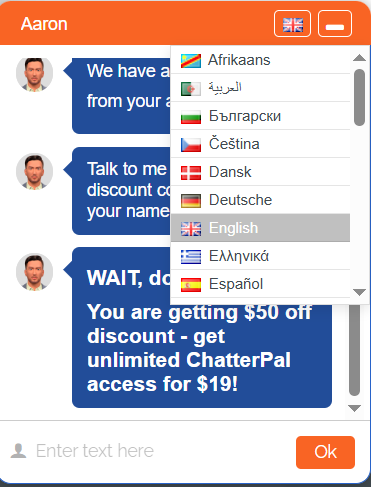
So, what language are you going to have a chit-chat? Comment me below.
The Role of ChatterPal in the AI Landscape
While tools like Chatra focus on human-to-human interaction supported by automation, ChatterPal represents a shift toward fully immersive artificial intelligence. ChatterPal is an AI-driven communication platform that uses interactive 3D avatars and advanced text-to-speech technology to engage visitors. It is not merely a chat box, but it is a visual assistant. By utilizing lip-sync technology and neural text-to-speech, it creates the illusion of a live person or character speaking directly to the user. This approach directly impacts engagement metrics and supports businesses searching for smarter live chat tools for website optimization.
How ChatterPal is Different from Traditional Chat Tools

Most chat tools on the market fall into two categories: live chat (human-driven) or standard chatbots (text-driven). ChatterPal carves out a third category by focusing on “interactive presence.”
- Visual vs. Textual: Standard tools rely on a small box in the corner of the screen. ChatterPal uses 3D avatars that can be placed anywhere on the page, creating a more human feel compared to basic web live chat software.
- Dynamic Translation: While many tools offer multilingual support, ChatterPal.IO includes a one-click translation engine that allows the same chat flow to be deployed in over 25 languages instantly.
- Logo Mapping: It allows for deep branding by placing a company’s logo directly onto the 3D avatar’s clothing, a feature rarely found in standard bot builders.
- Accessibility: It leverages the same voice technology found in major smart home devices, providing a level of audio clarity that moves beyond the “robotic” sounds of early automated tools.
The Benefits of Integrating Live Chat Software
Regardless of the specific brand chosen, the implementation of live chat software offers measurable advantages to any digital enterprise:
Enhanced Customer Satisfaction
Customers value their time above almost all other factors. Live chat reduces the effort required to get an answer, which directly supports how to improve bounce rate of a website by keeping users engaged longer.
Increased Conversion and Reduced Abandonment
A significant percentage of online shopping carts are abandoned because of a single unanswered question regarding shipping, returns, or technical specifications. Live chat allows a business to “close the gap” at the exact moment the customer is most likely to buy.
Cost Efficiency and Scalability
A single live chat agent can often handle four to six conversations simultaneously. In contrast, a phone agent is limited to one. When AI is added to the mix, the cost per interaction drops even further, as the bot can handle 80% of routine queries, leaving only complex issues for the human staff.
Data-Driven Insights
Modern chat software provides deep analytics. Businesses can see which pages prompt the most questions, what common “pain points” are driving support tickets, and even the “sentiment” of the customers. This data is invaluable for refining marketing strategies and product development.
The Pros and Cons of ChatterPal
Let’s be honest: no software is perfect. If a review tells you there are no downsides, they aren’t being truthful.
The Pros (What I Liked)
- High Engagement: For most small websites, the bounce rate drops because people stay to see what the avatar is saying.
- Usually No Monthly Fees: Unlike many live chat tools for website engagement (like Intercom), ChatterPal often sells for a one-time price. This is a huge win for small business budgets.
- Ease of Use: You don’t need to be a coder. If you can copy and paste a single line of script, you can install it.
- Affiliate Friendly: The Live-Link feature is a “secret weapon” for anyone doing middleman marketing.
The Cons (What to Watch Out For)
- The Uncanny Valley: Some 3D avatars look a bit too CGI. If you pick the wrong one, it can feel a little creepy to some users.
- Learning Curve: Setting up the perfect chat flow takes a few hours. It’s not plug and play if you want high conversions.
- Not Ideal for Every Brand: If you run a high-end corporate law firm, a floating 3D cartoon might hurt your brand’s seriousness.
- Potential Speed Issues: If you have a lot of other heavy scripts, adding an animated video bot can slightly increase your page load time.
Real-World Use Cases: Who is it for?
So, do you really need this tool? It depends on what you do.
For Ecommerce Store Owners
In real use, ChatterPal works wonders for cart abandonment. You can set the bot to appear only when a user is about to leave the checkout page. The avatar can offer a 10% coupon code right then and there. It feels much more personal than a static exit-intent popup.
For Bloggers and Content Creators
If you’re struggling to grow your email list, use a ChatterPal avatar at the end of your post. Instead of a boring “Sign up here” box, have an avatar say: “Hey! I noticed you liked this article. Want my 5-step checklist for free?”
For Local Small Businesses (Dentists, Roofers, Salons)
For most small websites, the biggest problem is missing leads after hours. ChatterPal acts as a 24/7 receptionist. It can answer “What are your hours?” or “Where are you located?” without you being online.
Popular Chat Software in 2026
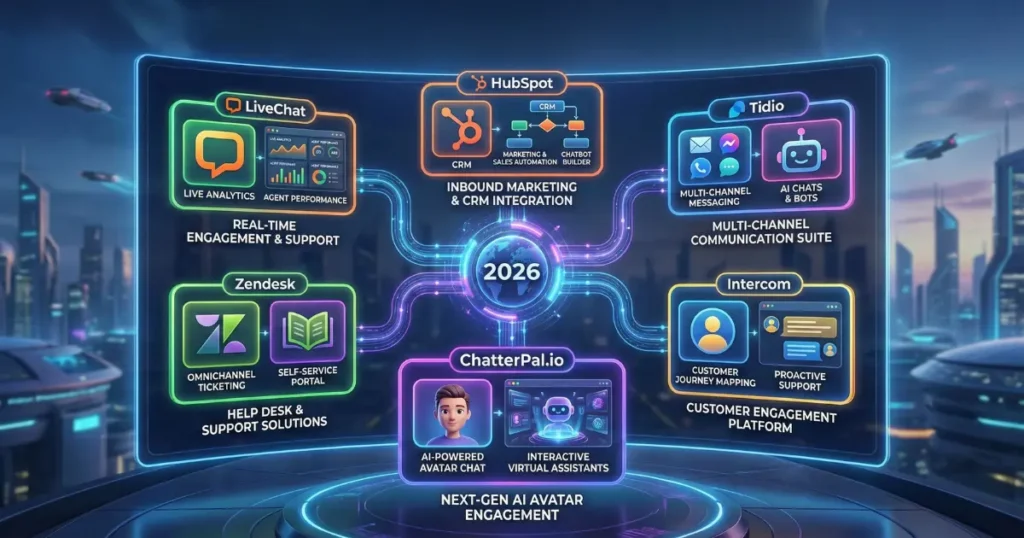
The market for chat solutions is diverse, with leaders emerging in different niches:
- LiveChat: Known for its robust reporting and “rich” messaging features, it remains a top choice for large customer service teams.
- HubSpot: Popular because its chat tool integrates natively with its powerful CRM, making it ideal for lead nurturing.
- Tidio: A favorite for small businesses due to its easy-to-use “visual” bot builder and affordable entry points.
- Intercom: The industry standard for SaaS businesses, focusing heavily on “onboarding” and in-app messaging.
- Zendesk: A comprehensive giant in the helpdesk space, perfect for companies that need to connect chat to a massive ticketing system.
- ChatterPal.io: stands out by combining AI automation, visual engagement, and conversion-focused design. Which is why many users search for a detailed ChatterPal.io review before adopting it.
Conclusion

If you are ready to move beyond static communication and start engaging your audience with the technology of tomorrow, now is the time to evaluate how these tools fit into your growth strategy. Integrating an AI solution like ChatterPal.io allows you to provide a high-tech, personalized experience that works around the clock to capture leads and resolve queries. By choosing a platform that aligns with your brand identity and global reach. You can transform your digital presence from a simple information source into an interactive, high-converting asset. Take the first step toward modernizing your workflow by exploring how interactive 3D automation can elevate your business results today.
FAQs
Q1. Can AI Chatbots Completely Replace Human Support Agents?
Ans: In 2026, AI is used to augment human teams rather than replace them entirely. Bots handle repetitive tasks like order tracking and FAQs, while humans handle complex, emotionally sensitive, or high-value issues.
Q2. Is My Data Safe When Using Third-Party Chat Software?
Ans: Most reputable providers now adhere to strict global standards such as GDPR and CCPA. End-to-end encryption and data residency options are now standard features for enterprise-level tools.
Q3. Do Customers Actually Like Talking to Avatars?
Ans: Statistics suggest that while some prefer traditional text, a significant portion of younger demographics engages more deeply with interactive, visual media. The “humanoid” element of 3D avatars often reduces the friction of talking to a machine.
Q4. How Difficult is it to Install a Chat Widget?
Ans: For most platforms, it involves copying and pasting a single line of code into the website’s header. Platforms like Shopify and WordPress have dedicated plugins that make the process even simpler.
Q5. Can Chat Software Help with SEO?
Ans: Indirectly, yes. By decreasing “bounce rates” (people leaving the site quickly) and increasing “time on page,” chat tools send positive signals to search engines about the quality of your content.
Q6. Does the Software Work on Mobile Devices?
Ans: Yes. Modern chat widgets are designed to be “responsive,” meaning they automatically shrink and reposition themselves to provide a clean experience on smartphones and tablets.
Q7. How Does the “Live-Link” Technology in ChatterPal Work?
Ans: It functions as a technical “wrapper” or “bridge.” It allows you to create a unique URL that displays a third-party website with your custom chat assistant layered over the top.
Q8. What is “Natural Language Processing” (NLP)?
Ans: NLP is the branch of AI that allows a chatbot to understand the “intent” behind a customer’s message, even if they use slang or make spelling errors, rather than just looking for specific keywords.
Q9. Can I Customize the Look of the Chat Box?
Ans: Most professional tools allow you to change colors, fonts, and icons to ensure the widget looks like a native part of your website’s design.
Q10. What is the Average ROI of Live Chat?
Ans: While it varies by industry, many businesses report a 20% to 50% increase in lead generation within the first three months of implementation, alongside a significant reduction in customer support overhead.