⚠️ Affiliate Disclosure: We earn a commission on purchases made via our links — at no extra cost to you.

The Ultimate Beginner’s Guide to Choosing, Setting Up, and Scaling WordPress Hosting
Launching a WordPress website is easier today than ever before, but choosing the right WordPress hosting remains one of the most important decisions a website owner will make. Whether you are starting a personal blog, an online store, a portfolio, or a business website, your hosting provider directly affects website speed, security, search engine visibility, and long term growth potential. Many beginners spend weeks selecting a theme or designing pages while overlooking the infrastructure that powers everything behind the scenes. Unfortunately, poor hosting can create slow loading times, frequent downtime, security vulnerabilities, and frustrating user experiences regardless of how attractive the website looks.
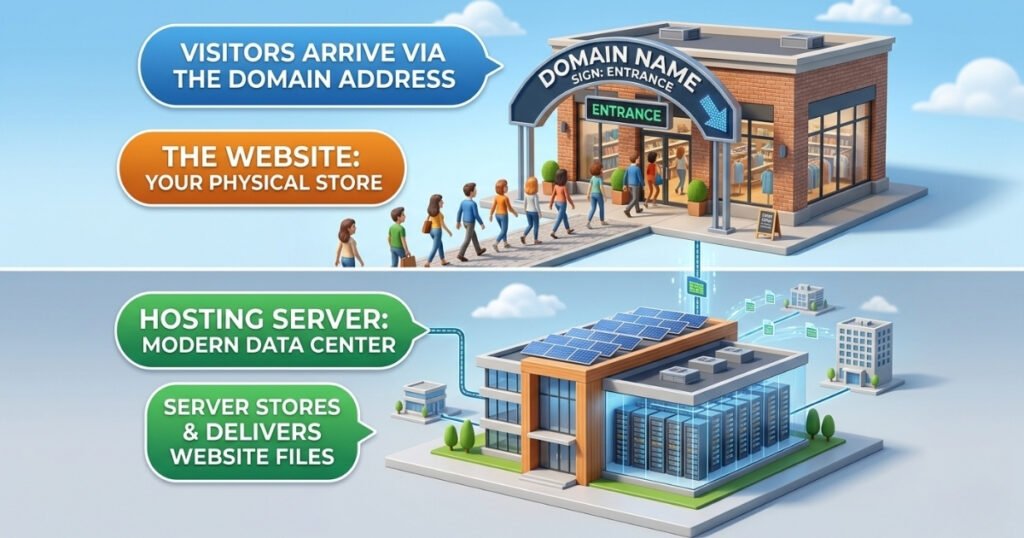
A simple way to understand WordPress hosting is to imagine opening a physical store. Your domain name acts as the address customers use to find your location. WordPress is the interior design and layout of the store. The hosting provider is the building itself. If the building is unstable, difficult to access, or frequently closed, customers will leave. The same principle applies online. Reliable hosting improves website performance, enhances user experience, supports search engine optimization, and provides the foundation needed for future growth. Understanding how hosting works and how to choose the right solution can save significant time, money, and frustration as your website evolves.
Understanding the Different Types of WordPress Hosting
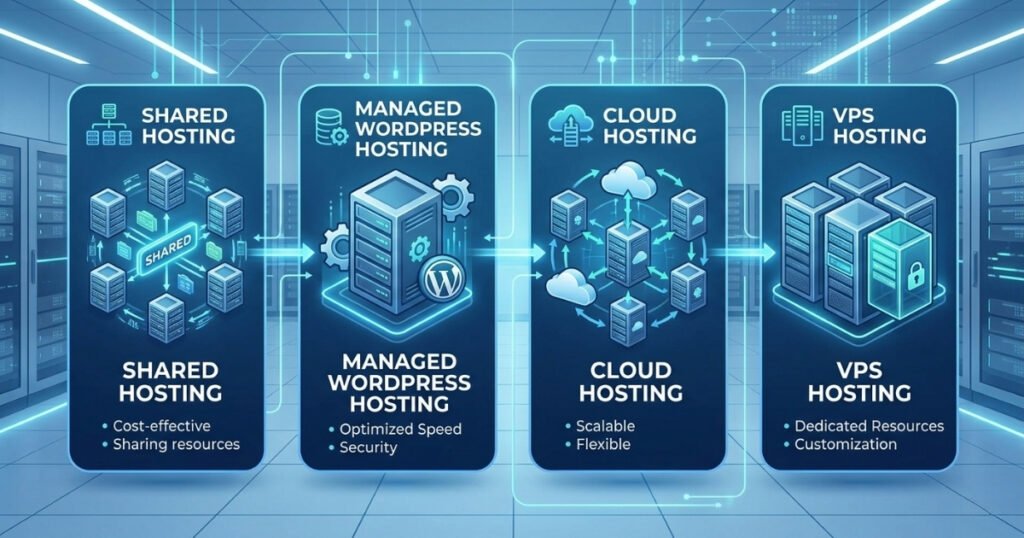
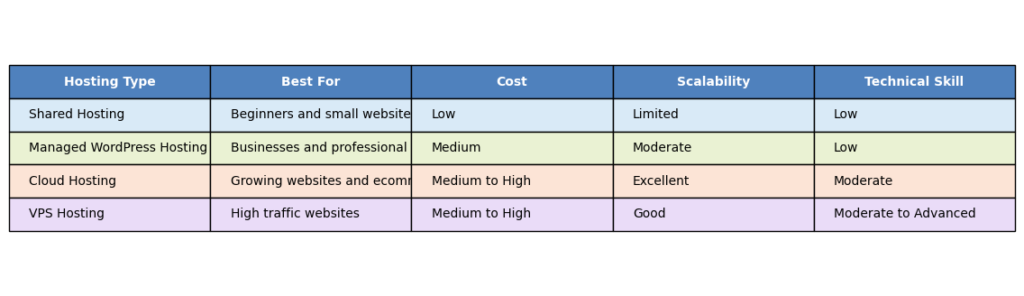
One of the most confusing aspects of choosing WordPress hosting is understanding the various hosting models available. Hosting companies promote shared hosting, managed WordPress hosting, cloud hosting, and VPS hosting, each designed for different levels of traffic, technical expertise, and business requirements. Choosing the right option depends on your goals, budget, and expected website growth.
Shared hosting is typically the most affordable option and is ideal for beginners. In a shared hosting environment, multiple websites use the same server resources. This allows hosting companies to keep costs low while providing sufficient performance for personal blogs, portfolios, and small business websites. Shared hosting offers simplicity and affordability, but performance can occasionally be affected when other websites on the same server experience heavy traffic.
Managed WordPress hosting is specifically optimized for WordPress websites. The hosting provider handles technical tasks such as updates, backups, security monitoring, and performance optimization. This option is particularly valuable for business owners who want to focus on content creation and growth rather than server management. Although managed WordPress hosting costs more than shared hosting, the additional support and performance improvements often justify the investment.
Cloud hosting uses a network of connected servers instead of relying on a single machine. This approach provides excellent scalability and flexibility because resources can be allocated dynamically based on demand. Businesses experiencing rapid growth or seasonal traffic spikes often benefit from cloud hosting because it can adapt to changing resource requirements more effectively than traditional hosting environments.
VPS hosting provides a middle ground between shared hosting and dedicated servers. It offers dedicated resources within a virtualized environment, giving website owners more control and better performance consistency. VPS hosting is ideal for websites that have outgrown shared hosting but do not yet require a fully dedicated server.
The Technical Hosting Checklist Every Beginner Should Know

Many hosting providers advertise impressive sounding technical features, but beginners often struggle to determine which specifications genuinely matter. Understanding a few core hosting features will help you evaluate hosting plans more effectively and avoid being influenced solely by marketing claims.
One important feature to look for is NVMe storage. Compared to traditional storage systems, NVMe storage allows servers to retrieve website files significantly faster. Faster storage improves WordPress performance by reducing loading times and delivering content more efficiently to visitors. For websites containing large image libraries, extensive blog archives, or ecommerce catalogs, this can make a noticeable difference in user experience.
Another critical factor is the uptime guarantee. Uptime measures how often your website remains available to visitors. Most reputable hosting providers offer an uptime guarantee of at least 99.9 percent. While this figure may appear nearly perfect, even small differences in uptime percentages can result in hours of additional downtime throughout the year. Consistent availability is particularly important for businesses that rely on online sales, bookings, or lead generation.
Server response time also deserves attention. This metric measures how quickly a server responds when a visitor requests a page. Fast server response times contribute to better user experiences and support search engine optimization efforts. Even a well designed website can feel sluggish if the underlying server responds slowly.
Website security should never be treated as optional. Every website is a potential target for automated attacks, spam attempts, and malicious activity. A reliable hosting provider should include an SSL certificate, automated backups, malware scanning, firewall protection, and security monitoring tools. These features work together to protect your website and reduce the likelihood of data loss or security breaches.
Before choosing a hosting provider, make sure the following features are included.
• NVMe storage
• Strong uptime guarantee
• Fast server response time
• Free SSL certificate
• Automated backups
• Malware protection
• Security monitoring
• One click WordPress installation
• Responsive customer support
• Clear upgrade options
Step by Step Guide to Setting Up WordPress Hosting
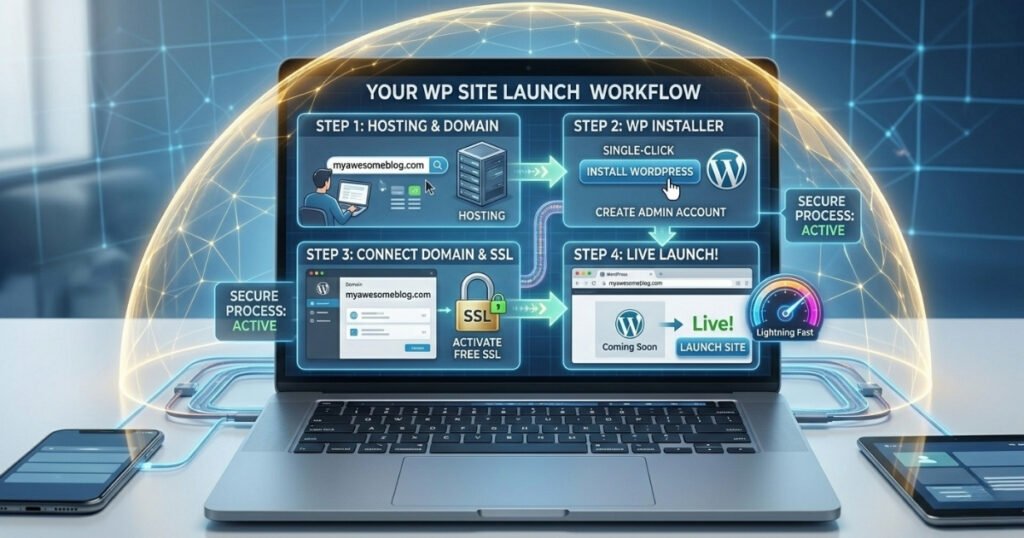
Setting up WordPress hosting is far less complicated than many beginners expect. Modern hosting companies have simplified the process through user friendly dashboards and one click installation tools. Following a structured setup process ensures that your website launches with a strong technical foundation.
The first step is selecting the best hosting plan that matches your current requirements. For most beginners, shared hosting or managed WordPress hosting provides more than enough resources. Rather than focusing exclusively on price, evaluate the hosting provider based on performance, support quality, security features, and scalability.
Next, register a domain name or connect an existing one to your hosting account. Your domain name serves as your website address and allows visitors to find your content online. Most hosting providers offer detailed instructions for connecting domains, making the process straightforward even for first time users.
Once your hosting account is active, install WordPress using the one click installer provided by your hosting company. During installation, create strong administrator credentials and avoid using common usernames. Strong login credentials represent one of the simplest yet most effective website security measures.
After WordPress installation, activate your SSL certificate. Most hosting providers offer free SSL certificates and configure them automatically. This ensures that visitor data remains encrypted and secure while also supporting modern SEO best practices.
Before publishing your website, configure automatic backups and security settings. Install a reputable security plugin, enable malware scanning, and verify that backup systems function correctly. Finally, test your website thoroughly across different devices and browsers to ensure everything operates as expected before launching publicly.
The Truth About Hosting Industry Marketing and Pricing

The hosting industry is extremely competitive, and many providers rely on aggressive marketing tactics to attract customers. While promotional offers can provide genuine value, understanding the realities behind hosting advertisements helps you make more informed purchasing decisions.
One of the most common marketing strategies involves introductory pricing. Hosting companies frequently advertise extremely low monthly rates that apply only during the initial billing period. After the promotional term ends, renewal pricing may increase significantly. Beginners often focus on the introductory price while overlooking the long term cost of ownership.
Before purchasing any hosting plan, review the renewal pricing carefully. A provider with slightly higher introductory costs but reasonable renewal rates may offer better value than a competitor advertising extremely low promotional pricing. Understanding the full pricing structure prevents unpleasant surprises when your hosting plan renews.
Hidden fees can also affect your total hosting expenses. Some providers charge extra for backups, email hosting, website migration services, or advanced security features. While these fees are not necessarily deceptive, they are often overlooked during the purchasing process. Always review the complete feature list and pricing details before committing to a hosting provider.
Marketing claims regarding unlimited storage and unlimited bandwidth should also be evaluated carefully. Most unlimited plans operate within reasonable usage policies designed to maintain server stability. For the vast majority of websites, these limitations are never problematic, but understanding the actual terms prevents unrealistic expectations.
Scaling Your Website Without Downtime
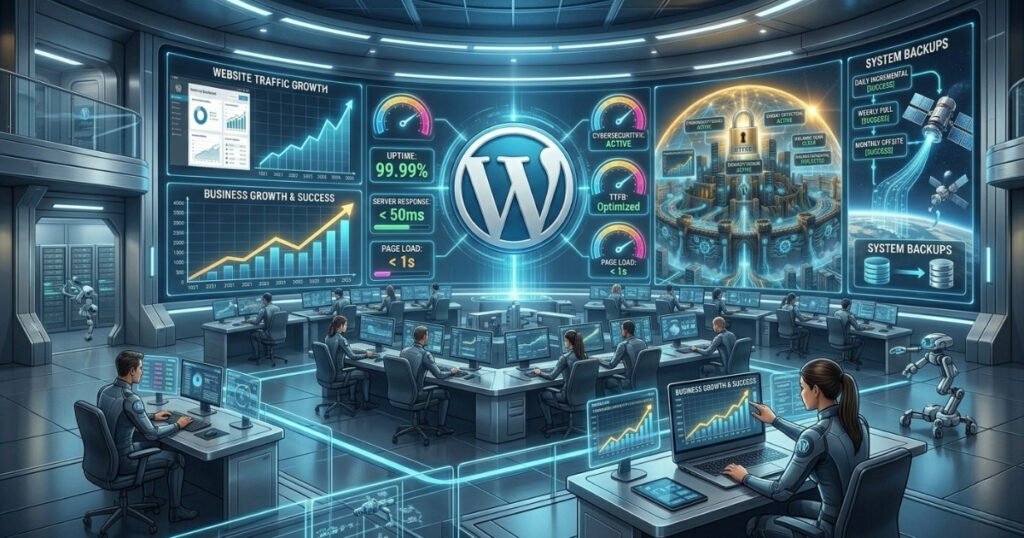
As your website grows, your hosting requirements will evolve. A hosting plan that performs well for a new website may eventually struggle to support increasing traffic, larger content libraries, or growing ecommerce activity. Recognizing when it is time to upgrade allows you to maintain excellent performance while avoiding unnecessary disruptions.
Common signs that a website has outgrown its current hosting environment include slower loading times, increased server response time, resource usage warnings, and performance issues during traffic spikes. When these symptoms become consistent, upgrading your hosting environment becomes necessary.
Many successful websites begin with shared hosting before transitioning to managed WordPress hosting, cloud hosting, or VPS hosting as traffic grows. Managed WordPress hosting offers improved performance and support with minimal technical complexity. Cloud hosting provides exceptional scalability and flexibility, making it ideal for websites experiencing unpredictable traffic growth. VPS hosting delivers dedicated resources and greater customization options for advanced users.
Website migration often causes anxiety among beginners, but modern hosting providers have simplified the process considerably. Many companies offer free website migration services that transfer files, databases, and configurations with minimal downtime. Proper planning, complete backups, and choosing an experienced hosting provider help ensure a smooth transition.
Building a scalable infrastructure from the beginning is one of the smartest long term strategies. Selecting a hosting provider with flexible upgrade paths, strong performance, reliable security, and excellent support allows your website to grow without requiring frequent platform changes. The goal is not simply to handle more visitors but to maintain a consistently positive user experience as your audience expands.
Conclusion
Choosing the best WordPress hosting is one of the most important investments you can make in your website’s future success. Your hosting provider affects everything from WordPress performance and website security to search engine visibility and customer satisfaction. By understanding the differences between shared hosting, managed WordPress hosting, cloud hosting, and VPS hosting, you can select a solution that matches your current needs while supporting future growth.
Focus on the fundamentals when evaluating hosting providers. Prioritize NVMe storage, a strong uptime guarantee, fast server response time, automated backups, malware protection, and a free SSL certificate. Look beyond promotional pricing and evaluate renewal pricing, support quality, and scalability options before making a decision.
Remember that hosting is not a one time decision. As your website grows, your infrastructure should evolve alongside it. Start with a reliable hosting provider, implement strong security practices, and monitor performance regularly. With the right foundation in place, your WordPress website will be positioned to grow confidently, serve visitors effectively, and achieve long term success.

Hi, I am Priyanka Roy, an SEO Specialist and Content Writer at Sandhu Marketing Agency Inc.. For the past 4 years, I have been helping businesses improve their websites and grow their organic traffic through practical and effective SEO strategies.
I enjoy working on different SEO tools and exploring how they actually perform in real situations. Over time, I have tested many tools, faced real challenges, and learned what works and what does not. This is exactly what I share on Savenjoy. My goal is to help you understand what to expect from a tool before you spend your money on it.
Instead of just listing features, I focus on real experiences, honest insights, and simple explanations so you can make better decisions with confidence. All I want is to make your journey easier and smarter.
I love trying new digital tools even when I do not need them, just to see if they are worth it or not.